On the exam
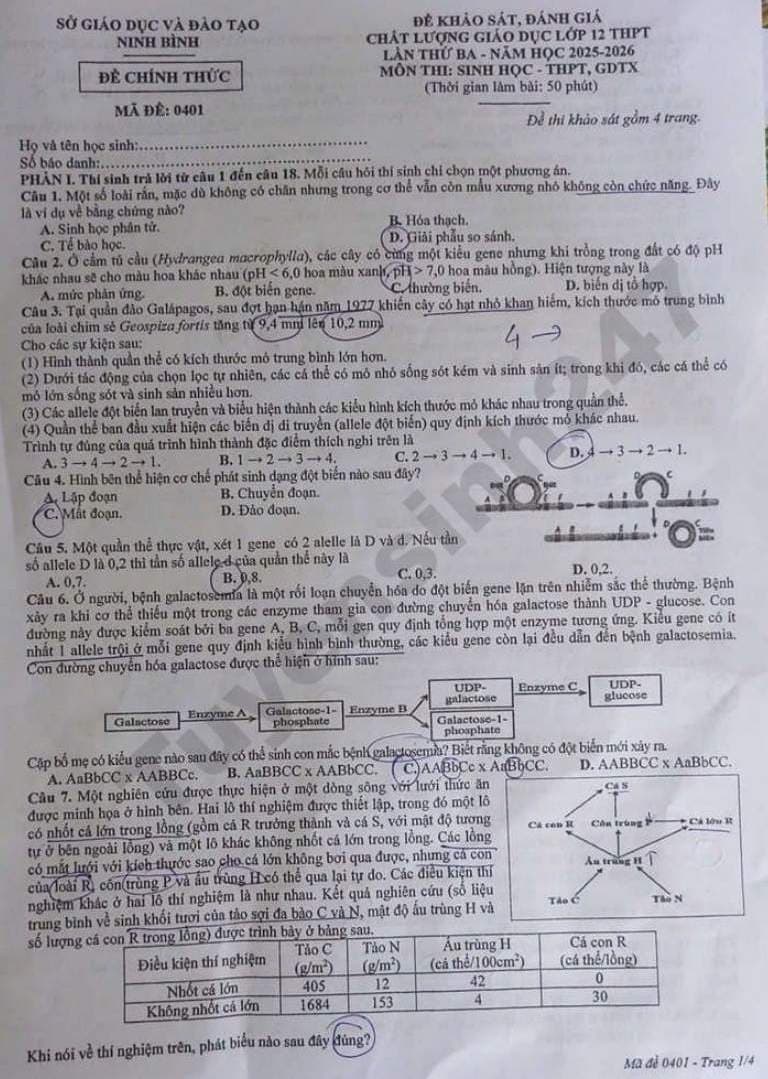
Grade marks written on the question paper
Students circle A, B, C, or D beside each item on the exam they already have. Photograph that page. AI reads the marks and scores every question.
Photograph the exam paper students already used — no extra sheets to print. AI grades each question on that paper with authentic red-ink marks, scores it, and exports an Excel/CSV roster instantly.
1.2s
To grade all papers
99.8%
AI accuracy
100%
Teacher in control
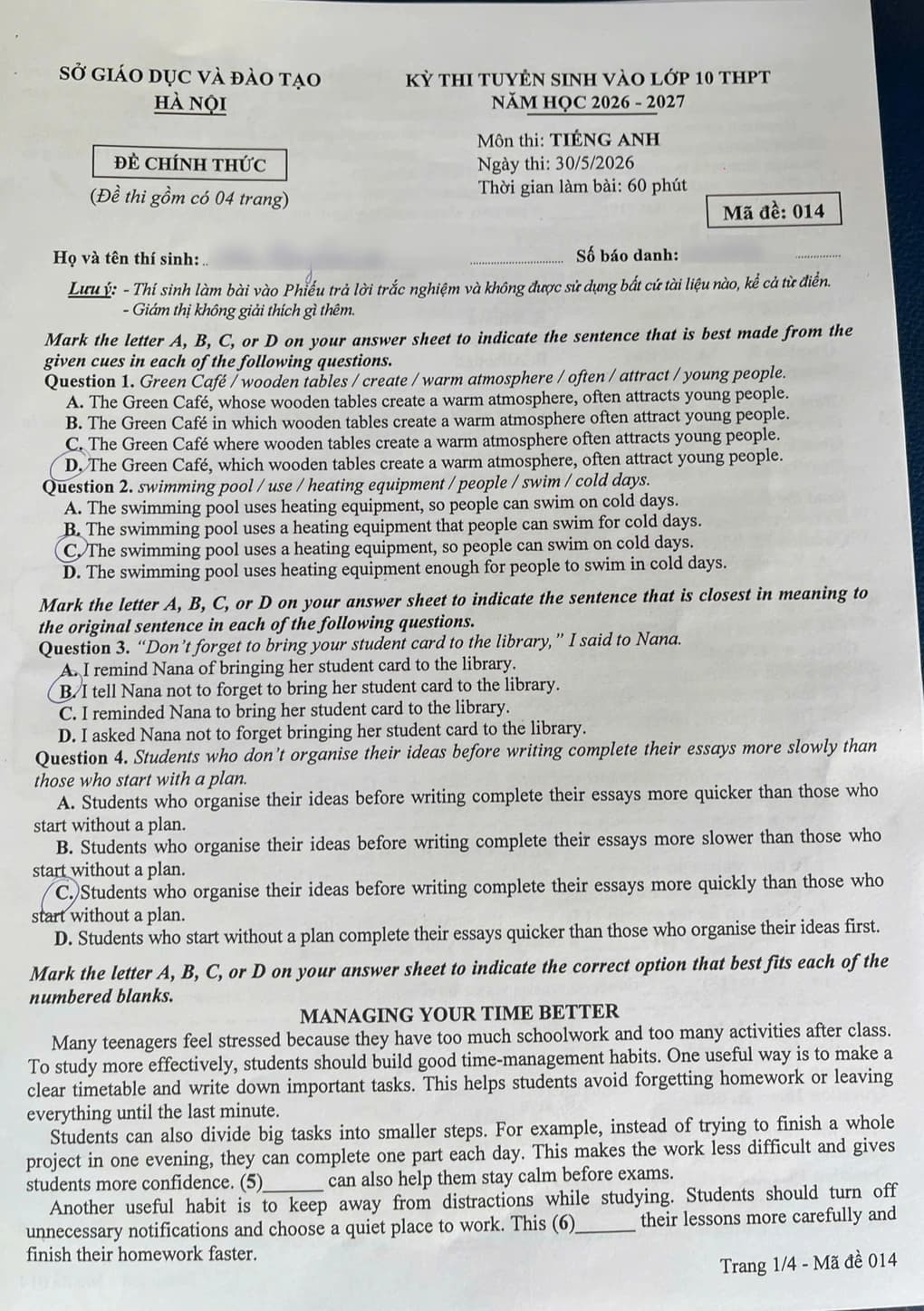
Interactive code demo on a Grade-10 exam (code 014) · Use the controls below to jump question by question.
Students circle answers on the question paper, or fill a separate bubble sheet. Snap AI reads both — no fixed template, no optical scanner.
Students circle A, B, C, or D beside each item on the exam they already have. Photograph that page. AI reads the marks and scores every question.
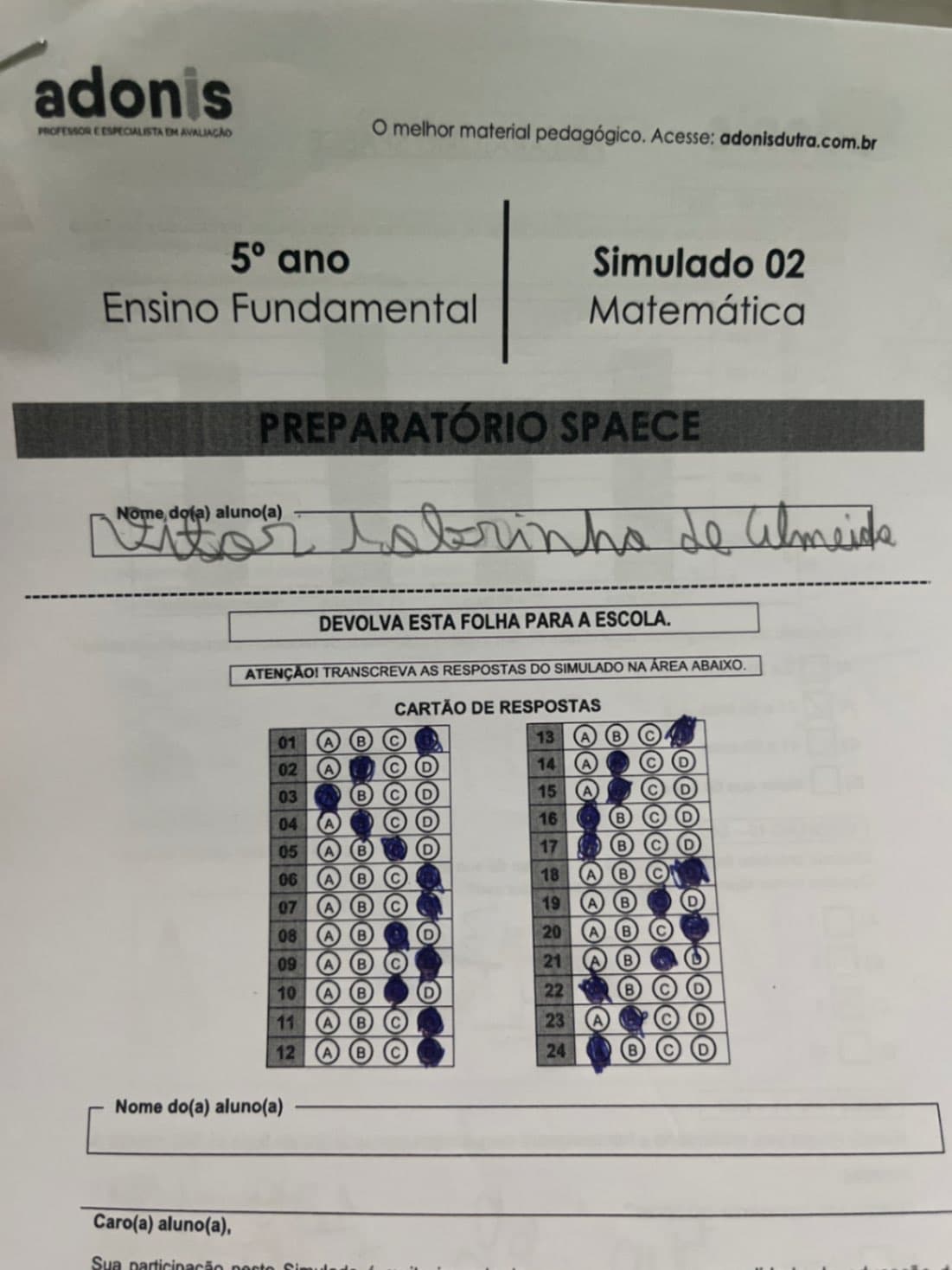
OMR cards, answer sheets, and local bubble forms — 20, 24, 40 items, or more. Any grid of filled bubbles works. No need to reprint one official form.
Photograph the paper students already filled in. No extra answer sheets to print, no optical scanners. AI grades each question on that same exam paper.
Use your phone to photograph a stack of completed exams, or upload images/PDF. Grade the paper students already wrote on — no extra bubble sheets, no reprinting. AI reads the name, candidate number, class, and exam code already printed on the page.
AI looks at the student's pencil or pen marks on the original exam, matches them to the key for that exam code, marks a red V for correct items, crosses incorrect choices, circles the official key, and scores each question. No separate answer form to scan.
Teachers review graded work on the original exam photo, just like hand-marked papers. Unclear marks can be fixed in one click, then export a roster (name, exam code, score, details) to share with parents.
Save up to 90% of grading time each exam period — no more late nights checking every multiple-choice item.
AI detects answers students circled in pencil or pen on the exam they already took — including faint marks, off-center circles, and eraser smudges. No extra answer sheet required.
Automatically marks a V for correct answers, crosses wrong choices, and circles the official key. It also scores each question in detail and exports the grade sheet directly.
Enter the answer key as text or a photo of the key sheet. The system detects the exam code on each paper and matches the right key for every version in the same class.
Supports a 10-point scale or a custom scale. Teachers can give equal points per question or assign different weights to each section of the exam.
Teachers can skim the red-marked paper images. Unclear or doubtful circles can be fixed in one click without running AI again.
Export a full roster immediately: student name, exam code, score, and correct/incorrect items to submit to the school or message parents.
Currently free to use.
Currently free
Free to use
Use Snap AI at no charge for now. Sign in with email or Google — no payment required.
Get startedCreate a free account to get your first grading credits. No complicated setup — it runs in the browser on teachers’ phones and computers.
Currently free to use · Sign in with email or Google
AI grading, manual review, CSV export, and current access.